3D CAD Software: Which one to choose for 3D printing beginners in 2026?
Choosing the right 3D CAD software is the most daunting step for anyone starting out in 3D printing. Yet, it is this skill that will take you from being a mere consumer of downloaded STL files to a true creator of custom-made objects. This guide presents the best current solutions to start your modeling learning journey with confidence.
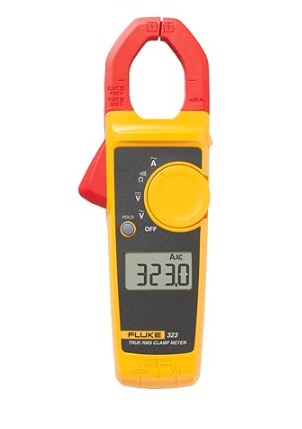
Fluke 323 Clamp Meter (True RMS, 400A AC)
🛠️ The essential tool for this project.
Why mastering 3D CAD software is essential?
A 3D CAD software (Computer-Aided Design) allows you to design parts with mechanical precision. Unlike artistic sculpting software like Blender or ZBrush, CAD tools are based on geometric constraints (dimensions, angles, parallelism). This is indispensable for creating a case for your Arduino setup or a spare part for a household appliance. Without 3D CAD software, you are limited to other people’s designs.
1. Autodesk Fusion 360: The gold standard of 3D CAD software for makers
In just a few years, Fusion 360 has become the community’s favorite 3D CAD software. It is powerful, modern, and offers a free license for hobbyists and small businesses.
Its great strength lies in being a comprehensive parametric tool. You can modify a dimension at the start of your project, and the rest of the part will automatically adapt. It is also a hybrid software that handles photorealistic rendering and Computer-Aided Manufacturing (CAM) for CNC milling machines. Note, however: it requires an internet connection to save your files to the cloud.
2. FreeCAD: The free and sovereign 3D CAD software
If you are a fan of open-source and software independence, FreeCAD is the 3D CAD software for you. Unlike cloud solutions, FreeCAD installs locally on your computer (Windows, Mac, or Linux) and your data belongs entirely to you.
While its interface is less polished than Fusion 360’s, FreeCAD is incredibly powerful for engineers. Its modular architecture allows for adding extensions for any field (architecture, mechanics, robotics). It is an excellent long-term investment because you will never depend on a paid subscription.
3. TinkerCAD: The 3D CAD software to get started in 5 minutes
For those who have never handled 3D, TinkerCAD is the ideal entry point. This online 3D CAD software works by simply assembling geometric shapes. It’s the perfect tool for introducing children or for creating simple mounts very quickly without having to learn complex concepts.
Conclusion: Which 3D CAD software should you choose for your profile?
If you want quick results and a modern interface, choose Fusion 360. If you prioritize freedom and open-source, spend time on FreeCAD. Whatever your choice, remember that good modeling is the key to avoiding printing issues like stringing.
To explore other design tools, visit the Fusion 360 community portal.
Note: To deepen your technical knowledge, check out our guide on Ohm’s Law.